Light Alarm Clock for Toddlers1.0
Publisher Description


Light based alarm clock for toddlers (& grownups!) with nap and overnight modes.
Light Alarm Clock for Toddlers, also called "Alright to Rise," is a simple "alarm clock" that will let toddlers know when it is okay to wake up. Light alarm clock is also helpful for hearing impaired individuals or those who want to wake up to light instead of sound.
Alright to Rise also has a basic white noise sound machine to help you sleep.
Alright to Rise has two modes:
*NAP MODE: Specify a time in hours and minutes. Use this during the day if you want your toddler to stay in bed for at least a certain amount of time (i.e. 45 minutes)
*OVERNIGHT MODE: Specify a time in the morning that is OK for your child to wake up (i.e. 7:00am).
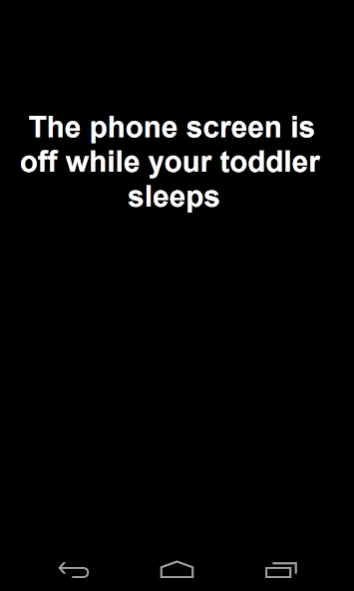
In both modes, the "alarm clock" is simply the screen on the phone/tablet coming on to a user-specified color. The screen is completely off while your toddler sleeps and only turns on at the specified time to conserve battery. Consider charging your phone overnight to ensure that it comes on, especially if you are using the sound machine.
Check out the app screen shots for different ideas to really make the phone glow. One of the screen shots shows what the alarm looks like with a sheet of paper folded over the screen. Water bottles look pretty cool, too!
It is a good idea to set your phone to silent mode so that any emails or calls you get don't wake up your child.
The sound machine contains four sounds: Plain White Noise, Rain, Storm, and Waves Crashing.
You have the option to set your alarm colors using a color wheel that includes a wide variety of colors.
The app is free and ad supported. Obviously, the ads are aimed at adults, not kids.
Please email the developer with any questions.
About Light Alarm Clock for Toddlers
The company that develops Light Alarm Clock for Toddlers is Colorwork Apps. The latest version released by its developer is 1.0.
To install Light Alarm Clock for Toddlers on your Android device, just click the green Continue To App button above to start the installation process. The app is listed on our website since 2014-01-08 and was downloaded 4 times. We have already checked if the download link is safe, however for your own protection we recommend that you scan the downloaded app with your antivirus. Your antivirus may detect the Light Alarm Clock for Toddlers as malware as malware if the download link to androiddeveloperjoe.toddleralarm is broken.
How to install Light Alarm Clock for Toddlers on your Android device:
- Click on the Continue To App button on our website. This will redirect you to Google Play.
- Once the Light Alarm Clock for Toddlers is shown in the Google Play listing of your Android device, you can start its download and installation. Tap on the Install button located below the search bar and to the right of the app icon.
- A pop-up window with the permissions required by Light Alarm Clock for Toddlers will be shown. Click on Accept to continue the process.
- Light Alarm Clock for Toddlers will be downloaded onto your device, displaying a progress. Once the download completes, the installation will start and you'll get a notification after the installation is finished.
